Guides
MiSTer FPGA Cooling and Power Guide: Keep Your Build Stable
Sep
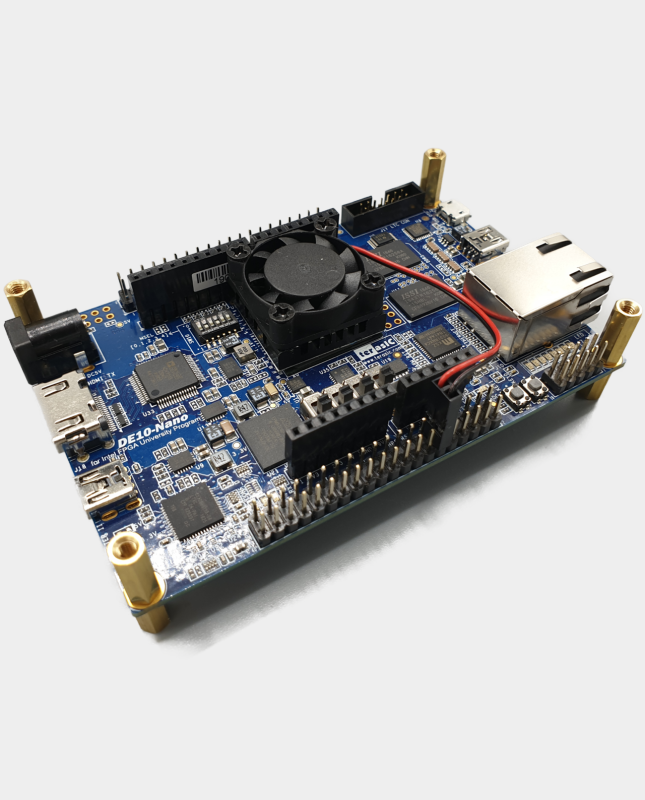
A reliable MiSTer build starts with stable power and sensible cooling. Many mysterious crashes, controller dropouts and storage errors are caused by an inadequate power supply or a board that is running hotter than it should. This guide covers the practical side of keeping a DE10-Nano or compatible board stable.
Why MiSTer cooling matters
The Cyclone V chip combines an ARM processor and FPGA fabric in one package. The ARM side produces heat continuously, while complex FPGA cores can push the chip harder. Higher temperatures can affect timing stability, especially in long sessions or warm rooms. A heatsink is the minimum sensible upgrade; a fan or combined fan and heatsink kit is better for enclosed builds.
Passive cooling: heatsinks
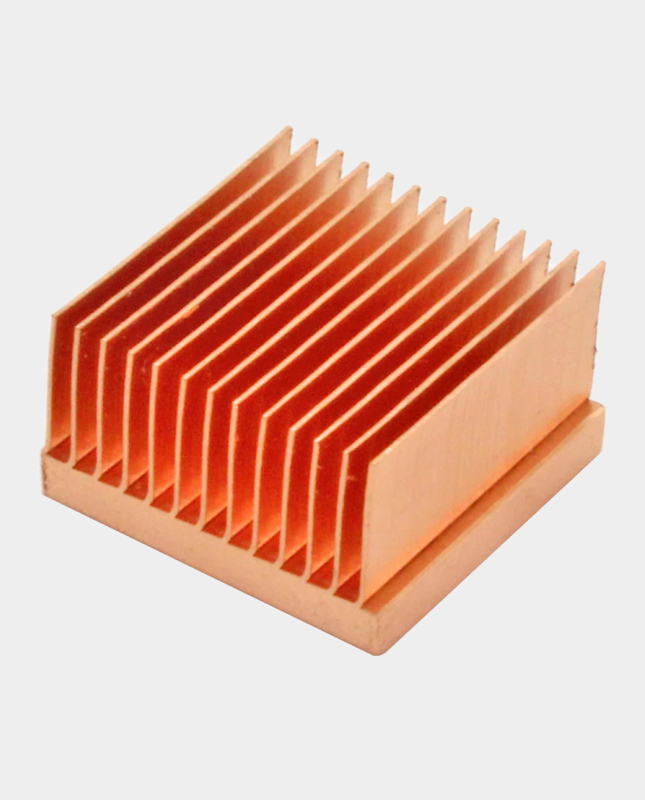
A passive heatsink increases surface area and helps move heat away from the chip. Aluminium heatsinks are a good all-round choice. Copper heatsinks offer excellent thermal conductivity and are useful when you want the best passive performance within the available space.
Our DE10-Nano heatsink is a straightforward passive upgrade. For maximum passive cooling, the solid copper heatsink uses skived copper fins for efficient heat transfer.
Active cooling: fans and fan plates
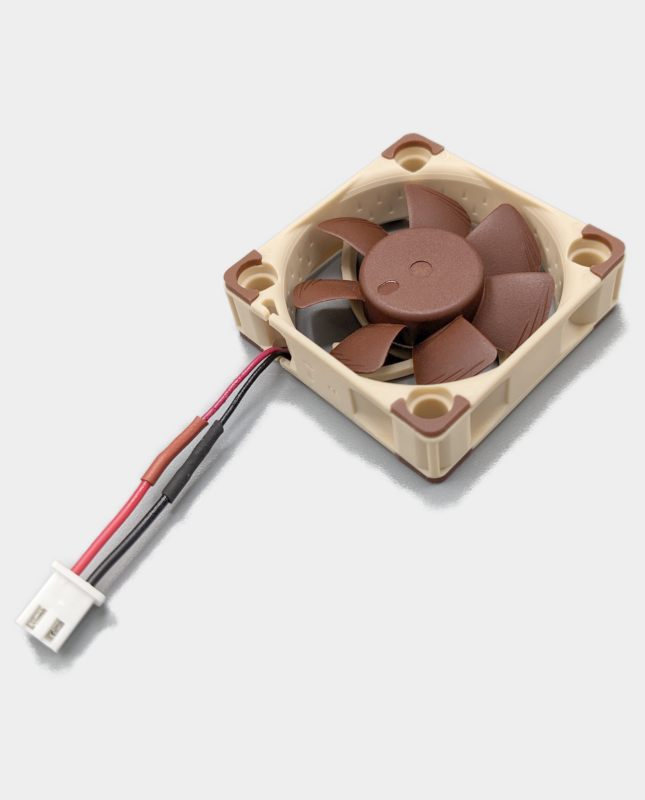
A fan moves air across the heatsink and is recommended for enclosed cases, warm environments and long sessions. Noctua fans are popular because they are quiet and reliable. A combined fan and heatsink kit is the simplest active solution when you do not need an IO board.
Browse our Noctua fan, fan and heatsink kit and acrylic fan plate kit.
Connecting a 5V fan safely
Many MiSTer fans use a two-pin Dupont connector. On the DE10-Nano GPIO header, the red wire should connect to a 5V pin and the black wire to a ground pin. Product documentation commonly uses pin 11 for 5V and pin 12 for GND. Always check the pin arrangement for your board and IO board before connecting power.
Never connect a fan to the wrong voltage. If you are unsure, use a fan header on a compatible IO board or ask before powering up.
Power supply requirements
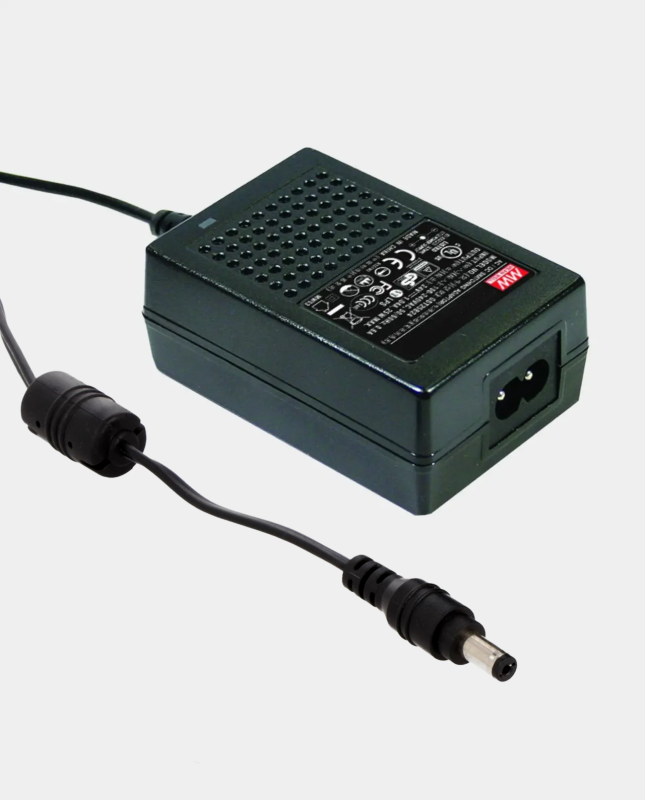
A stable 5V supply is essential. The exact current requirement depends on the board, USB hub and connected devices, but a 5V 4A supply provides useful headroom for a typical build with WiFi, Bluetooth, controllers and storage. A weak phone charger or unstable USB power source is not a suitable substitute.
Our 5V 4A power supply provides clean regulated power. It is suitable for a DE10-Nano build and can be used with a MiSTer Pi when paired with the correct DC to USB-C adapter.
Connectors, splitters and switches
A tidy power setup makes a build easier to use and less prone to accidental disconnection. Common options include:
- A power supply splitter cable to feed the DE10-Nano and USB hub from one supply.
- An inline power switch for convenient on/off control.
- A male-to-male DC link cable for compatible power arrangements.
- A DC power jumper for Digital IO board and BlisSTer setups.
Use the correct polarity and connector size. Do not force a plug into a socket or connect two power sources together.
UK mains power
If you use a desktop power supply with an IEC inlet, choose the correct mains lead for your plug type. Our UK plug mains cable to IEC C13 is suitable for UK sockets and compatible power supplies. Check the power supply input rating before connecting it to the mains.
Common cooling and power mistakes
- Using an underpowered USB charger instead of a regulated 5V supply.
- Running a fan from the wrong GPIO pin or voltage.
- Building an enclosed case with no airflow.
- Using a splitter or adapter with the wrong connector size or polarity.
- Ignoring crashes instead of checking power and temperature first.
Frequently asked questions
Do I need a fan if I already have a heatsink?
Not always, but a fan is recommended for enclosed cases, hot rooms and long gaming sessions.
What power supply should I use?
A regulated 5V supply with enough current for your devices is essential. A 5V 4A supply is a sensible choice for a typical MiSTer build.
Can I power a USB hub from the same supply?
Yes, with the correct splitter cable and within the supply’s current rating.
Is copper better than aluminium?
Copper has higher thermal conductivity, but a well-designed aluminium heatsink with good airflow can also perform very well. Choose based on your case, budget and cooling goals.
Keep your build stable: shop our MiSTer cooling range and power accessories.
Related reading
Still deciding on part of your build? These guides cover the other choices MiSTer owners face most often.
- MiSTer FPGA beginner’s guide: what you need to get started — the full list of parts a first build actually needs.
- MiSTer Pi vs DE10-Nano: which board should you buy? — which MiSTer board makes sense for your budget.
- SNAC vs BlisSTer vs USB controllers on MiSTer — how to choose controllers and adapters.
- MiSTer SDRAM explained: 32MB vs 128MB — how much SDRAM you actually need.
- MiSTer case and cooling options compared — case, airflow and temperature together.
- MiSTer FPGA power supply specs explained — what the numbers mean and what to buy.
- MT32-Pi guide: MIDI music on MiSTer — how DOS-era games are meant to sound.
