Guides
MiSTer FPGA Power Supply: What Specs Do You Need?
Sep
Most unexplained MiSTer crashes are power problems. The board is not demanding, but it is also not forgiving: it needs a stable regulated 5V supply with enough current for everything you have plugged in. This guide explains what the numbers mean and what to buy.
The three requirements
- Voltage: 5V. Not 5.5V, not 9V. A regulated 5V output is what the board expects.
- Current: enough for the whole build. The board itself is modest; USB devices, WiFi and storage add up. A 5V 4A supply gives useful headroom.
- Stability: regulated and clean. Voltage sag under load is what causes crashes. A cheap unregulated supply may measure 5V at idle and drop under load.
Amperage is a maximum, not a push. A 4A supply does not force 4A into the board; the board draws what it needs. Buying a supply with headroom is safe. Buying one that is marginal is not.
Why a phone charger is not enough
Phone chargers are designed for a single device with predictable draw. They often use quick-charge negotiation, which a MiSTer board does not participate in, and their voltage can sag when a USB hub and WiFi adapter draw current simultaneously. Symptoms look like software faults: random reboots, cores that will not load, controllers that disconnect.
What to buy
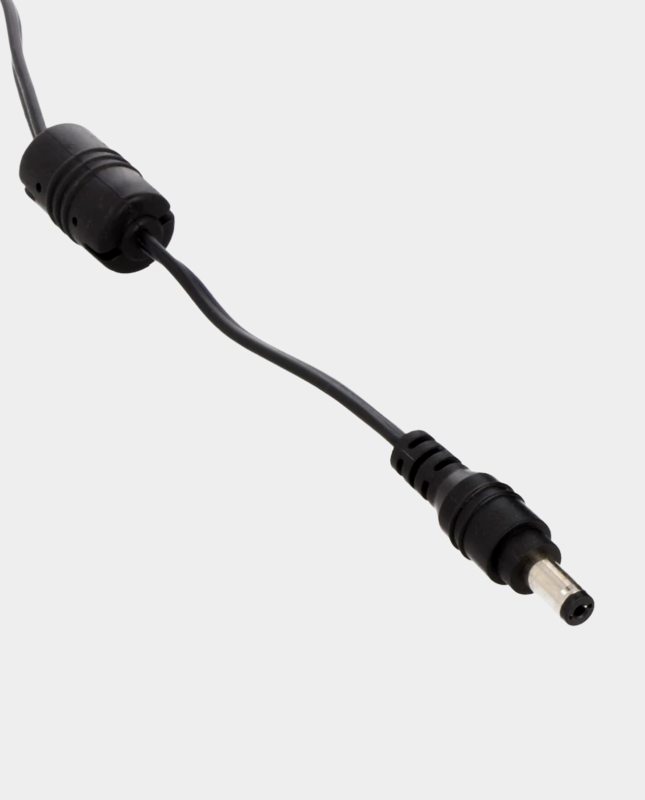
For a DE10-Nano build, a 5V 4A regulated power supply covers a typical setup with WiFi, Bluetooth, controllers and storage attached. It is the standard answer and needs no adapter for a barrel-jack board.
If your board takes USB-C power — as the MiSTer Pi does — use the DC female to USB Type-C male adapter with the same supply.
Powering a USB hub
A USB hub and its connected devices can draw more current than some builds account for. The tidy solution is a power supply splitter cable, which feeds the board and the hub from one supply. Stay within the supply’s current rating and do not connect two power sources together.
The small parts that matter
- Inline power switch — convenient on/off control without unplugging.
- Male-to-male DC jack link cable — for compatible power arrangements.
- DC power jumper — used with Digital IO board and BlisSTer setups.
- USB Hub v2.1 — the hub most builds use, with documented power behaviour.
Connector size and polarity matter. Do not force a plug into a socket, and check whether a barrel jack is centre-positive before connecting anything.
UK mains leads
Desktop power supplies with an IEC inlet need the right mains lead. A UK plug to IEC C13 lead suits UK sockets and a standard supply input. If you move equipment between countries, a mains cable with changeable country plugs covers multiple regions with one cable.
Check the power supply’s input rating before connecting it to the mains, and never modify a lead to force a fit.
Symptoms of a power problem
- Random reboots or shutdowns, especially when a USB device is plugged in.
- Cores that load inconsistently.
- Controllers or WiFi dropping out under load.
- SD card errors that disappear on a different supply.
- Everything works until you add a hub or a second peripheral.
If you are seeing these, test a known-good regulated supply before investigating software. Our cooling and power guide covers the related thermal side of the same problem.
Frequently asked questions
What voltage does MiSTer need?
A regulated 5V DC supply.
How many amps?
A 5V 4A supply provides comfortable headroom for a typical build with peripherals. Higher current ratings are safe.
Can I use a USB power bank?
Only one that delivers a stable regulated 5V at sufficient current. Many power banks do not, and those that do may shut off at low draw.
Can I run the board and hub from one supply?
Yes, using a splitter cable and staying within the supply’s current rating.
Will a better supply fix my crashes?
If the crashes are power-related, yes. If they persist, check cooling next.
Sort out your power: browse the accessories range.
Related reading
Still deciding on part of your build? These guides cover the other choices MiSTer owners face most often.
- MiSTer cooling and power guide — power and temperature together.
- How to set up MiSTer FPGA — the setup steps that depend on stable power.
- MiSTer case and cooling options compared — the thermal side of stability.
- The cheapest way to build a MiSTer in the UK — where not to economise.
