Guides
Cheapest Way to Build a MiSTer in the UK (2026)
Sep
The cheapest way to build a MiSTer is to spend carefully in the right order. Most overspending happens on accessories bought before the essentials, or on a power supply that turns out to be inadequate. This guide covers the genuinely economical route.
The rule that saves the most money
Buy the parts that every core depends on first, and the parts that only some cores need later. In order: board, SDRAM, power. Then cooling. Then controllers and video output. Then everything else.
Following that order means every pound you spend moves you closer to a working machine, rather than adding a part you cannot yet use.
1. The board is the biggest single cost
This is the one place where the choice genuinely determines the budget. Our board comparison sets out the trade-offs, but in short:
- A QMTECH Cyclone V board is usually the lowest-cost entry, with the caveat that you must verify accessory compatibility by revision.
- A MiSTer Pi costs a little more and has a cleaner, better-supported accessory path.
- A DE10-Nano costs the most and gives you the widest compatibility and the most documentation.
All three run the same cores, so the cheaper boards are not a downgrade in terms of what you can play.
2. Do not skip SDRAM
SDRAM is where people try to save money and regret it. A 32MB module covers a large part of the library and is the cheaper option. A 128MB module costs more but removes the need to re-buy later. Since the heaviest arcade cores need 128MB, and buying twice costs more than buying once, 128MB is usually the better value. Our SDRAM guide lists what needs what.
3. Power supply: cheap here costs more later
An underpowered or unregulated supply is the most common cause of instability. A regulated 5V 4A supply is the correct answer for a typical build and is not an expensive part. If your board uses USB-C power, add the DC to USB-C adapter. In the UK, pair a desktop supply with a UK mains to IEC C13 lead.
Do not use a phone charger. Read the power supply specifications guide if you want the detail behind the numbers.
4. Cooling: the cheap insurance
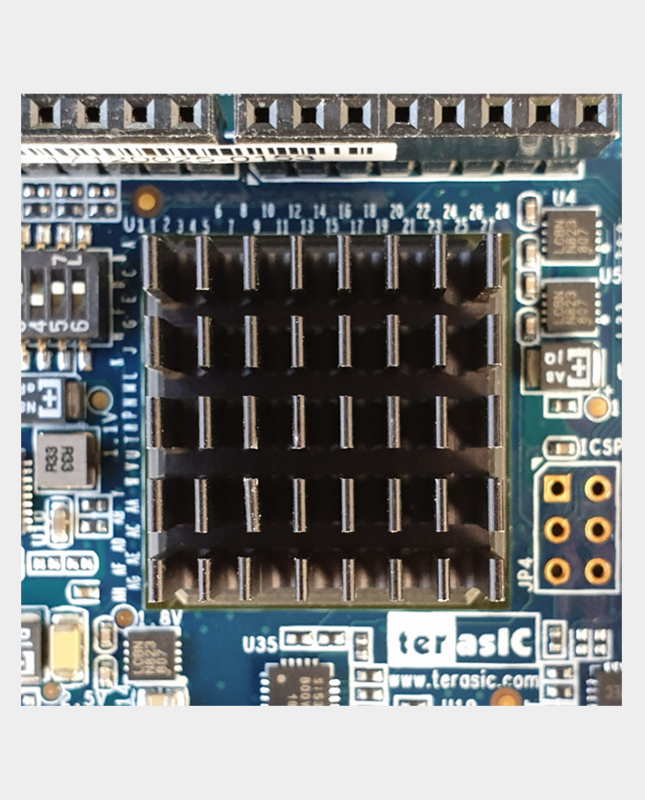
A basic aluminium heatsink is inexpensive and prevents the most common hardware failures. Add a fan later if the build is enclosed. This is not the place to economise by doing nothing — a copper heatsink costs little more and covers hot rooms.
5. Controllers: use what you already own
You almost certainly have a USB gamepad already. Start there. There is no need to buy SNAC adapters, BlisSTer hardware or original controllers just to begin — those are upgrades for specific goals. When you are ready to go further, our original controller guide covers the options.
6. Skip these until you have a reason
- An IO board. Only needed for analogue video or SNAC. If you are playing over HDMI, defer it.
- A case. A default barrier to entry. Add one when the build is otherwise complete.
- MT32-Pi. Excellent, but only relevant for DOS-era MIDI games.
- RTC board, bare PCBs, protective plates. All worthwhile, none of them essential.
7. Buy once where it matters
There are two places where spending a little more saves money: SDRAM (buy 128MB rather than upgrading later) and the power supply (buy a proper regulated unit). Everywhere else, the cheapest part that does the job is usually fine.
What the cheapest sensible build looks like
Board, SDRAM, regulated 5V supply, heatsink, and a USB controller you already own. That plays the majority of the library over HDMI. Add an IO board, SNAC or a case later, when you know which direction you want the build to go. Our UK starter kit guide expands this into a full parts list.
Frequently asked questions
What is the cheapest way into MiSTer?
A QMTECH or MiSTer Pi board with 32MB or 128MB SDRAM, a proper power supply and a basic heatsink, using a controller you already own.
Can I use a Raspberry Pi power supply?
Only if it provides a stable regulated 5V at sufficient current with the right connector. Many do not.
Is a cheap case worth buying?
Only if it has ventilation or you also fit a fan. An enclosed case with no airflow causes problems.
Can I add parts later?
Yes. MiSTer is modular — boards and accessories can be added at any time without replacing what you have.
Build it up: start with expansion boards, add cooling, then accessories.
Related reading
Still deciding on part of your build? These guides cover the other choices MiSTer owners face most often.
- MiSTer FPGA starter kit UK — the full parts list this guide trims down.
- MiSTer SDRAM explained: 32MB vs 128MB — why 128MB is usually the better buy.
- MiSTer FPGA power supply: what specs you need — why a cheap supply costs more later.
- DE10-Nano vs MiSTer Pi vs QMTECH — the decision that sets your budget.
