Guides
Connect Original Controllers to MiSTer: 3 Ways
Sep
One of MiSTer’s best features is that you do not have to give up your original controllers. There are three routes for connecting them, and they are not equivalent. This guide explains which to use and what you need for each.
The three routes
- USB adapters. A controller adapter converts the original pad to USB. Simple, universal, works with every core.
- BlisSTer. Low-latency original controller support using HDMI-style connectors and a hub.
- SNAC. The original controller connects directly to the FPGA through the user port. It is not emulated at all — the core sees the real controller.
For a full comparison of latency and compatibility, see our SNAC vs BlisSTer vs USB controllers guide.
Route 1: USB adapters
The easiest option. Adapters exist for most classic consoles, and they present the controller to MiSTer as a standard USB gamepad. Setup is the same as any other USB controller: plug in, map buttons in the menu, play.
Adapters are useful when you want one solution that covers many systems, and they do not require an IO board. The trade-off is that the input still goes through USB, so latency is higher than SNAC.
Route 2: BlisSTer
BlisSTer uses HDMI-style connectors and a dedicated hub to connect original controllers with lower latency than USB adapters. It suits people who want original pads without committing to SNAC adapters for every console.
Start with the BlisSTer Hub Rev.3. If you have BlissBox cables already, the SNAC HDMI adapter for BlissBox cables bridges that ecosystem.
Route 3: SNAC
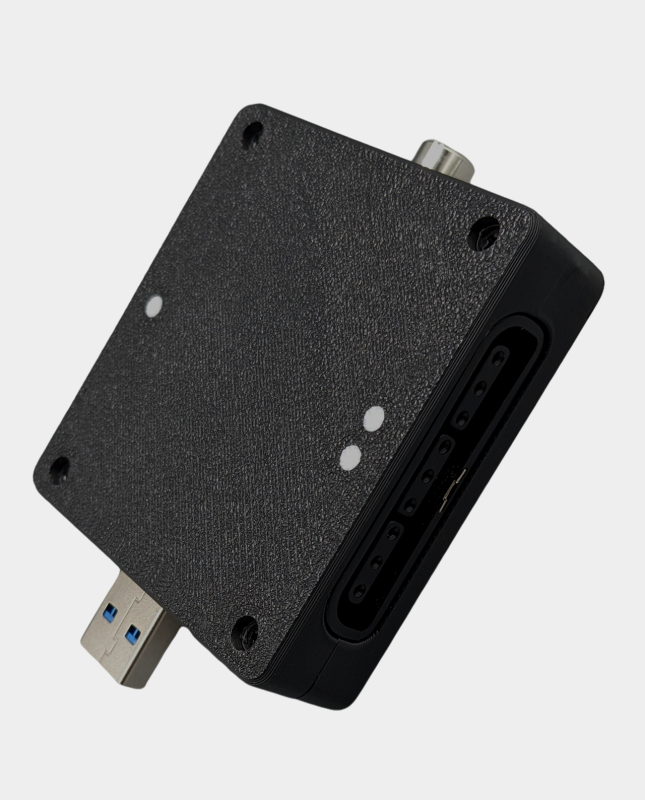
SNAC — Serial Native Accessory Converter — connects the original controller directly to the FPGA through the user port on an IO board. There is no USB layer and no polling delay. For fighting games, shoot-em-ups and anything frame-sensitive, it is the best option available.
Requirements:
- An IO board with a user port. Either the Digital IO Board v1.2 or the IO Board A/V Pro v9.2.
- A SNAC adapter for the console in question. See the SNAC category.
- A supported core. Not every core implements every SNAC adapter.
SNAC adapters available
We stock a range covering the most requested systems:
- SNAC controller adapters — the general range.
- USB SNAC adapter — for USB-based original controllers.
- PlayStation PSX SNAC adapter — original PS1 pads.
- Nintendo 64 SNAC adapter — N64 pads.
- SNAC extension cable — a short shielded USB 3.0 extension that takes strain off the user port. Recommended for every SNAC setup.
Which route should you choose?
- Want it to just work with any pad? USB adapter.
- Want original pads, lower latency, and a range of systems? BlisSTer.
- Want the lowest possible latency and exact original behaviour? SNAC.
The extension cable is worth buying regardless of route if you go the SNAC way. A 22cm male-to-female USB 3.0 extension relieves the physical strain on the user port and keeps the connection stable.
Practical tips
- Use a SNAC extension cable so the adapter is not hanging off the board.
- Check the core supports the adapter before buying for a specific console.
- Original controller cables are old and brittle — do not bend them sharply.
- If a controller is not detected, confirm the adapter is seated fully and the correct core is loaded.
Frequently asked questions
Can I use SNAC without an IO board?
No. SNAC uses the user port, which is provided by the IO board.
Which gives the lowest latency?
SNAC, because the controller connects directly to the FPGA with no USB layer.
Do USB adapters work with every core?
Generally yes, because the adapter presents a standard USB gamepad. SNAC requires per-core support.
Do I need an extension cable for SNAC?
It is strongly recommended. It reduces strain on the user port and keeps the adapter stable.
Shop the range: browse SNAC adapters and IO boards.
Related reading
Still deciding on part of your build? These guides cover the other choices MiSTer owners face most often.
- SNAC vs BlisSTer vs USB controllers — the full comparison of all three routes.
- How to set up MiSTer FPGA — including controller mapping.
- The best MiSTer cores for beginners — which systems reward original pads.
- MiSTer FPGA starter kit UK — the boards and parts you need.
