Guides
MiSTer FPGA Beginner’s Guide: What You Need to Get Started
Sep
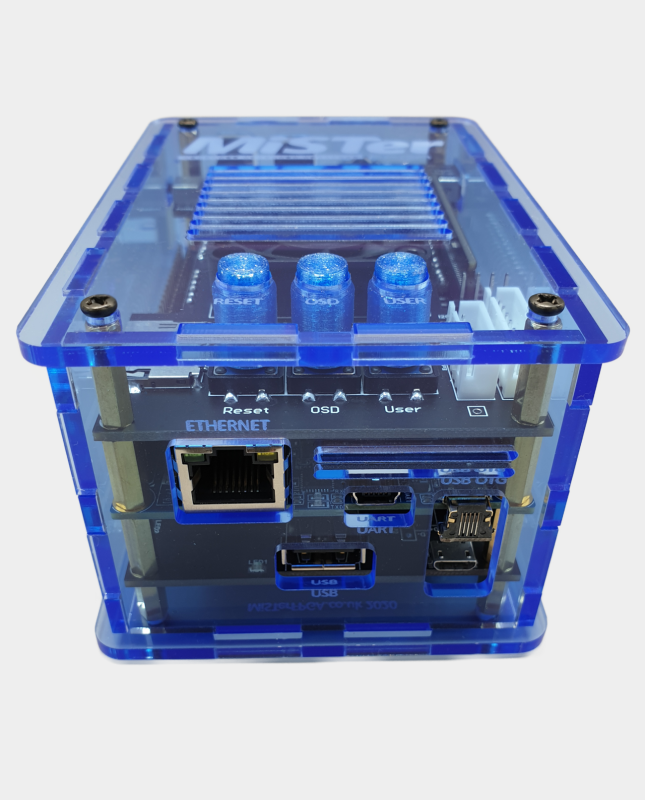
New to MiSTer FPGA? The platform is one of the most flexible ways to play classic computers, consoles and arcade games with modern HDMI output, but the number of boards and accessories can make a first build feel complicated. This guide explains what you actually need, what is optional and how to choose a sensible setup for your budget.
What is MiSTer FPGA?
MiSTer is an open-source project built around an FPGA development board. Instead of emulating hardware in software, an FPGA is configured to recreate the behaviour of original systems at a hardware level. The result is low latency, accurate video and audio timing, and support for a huge range of arcade cores, consoles and home computers.
The reference platform is the Terasic DE10-Nano, although compatible Cyclone V boards such as the MiSTer Pi and QMTECH alternatives are also popular. Most guides and add-on boards assume the DE10-Nano layout, so check compatibility before buying accessories for a different board.
The essential parts of a MiSTer build
1. DE10-Nano or compatible FPGA board
This is the heart of the system. The DE10-Nano provides the Cyclone V FPGA, ARM processor, memory, USB ports and network connection. A compatible board can cost less, but the DE10-Nano remains the reference option for maximum compatibility with cases, IO boards and community documentation.
2. SDRAM module
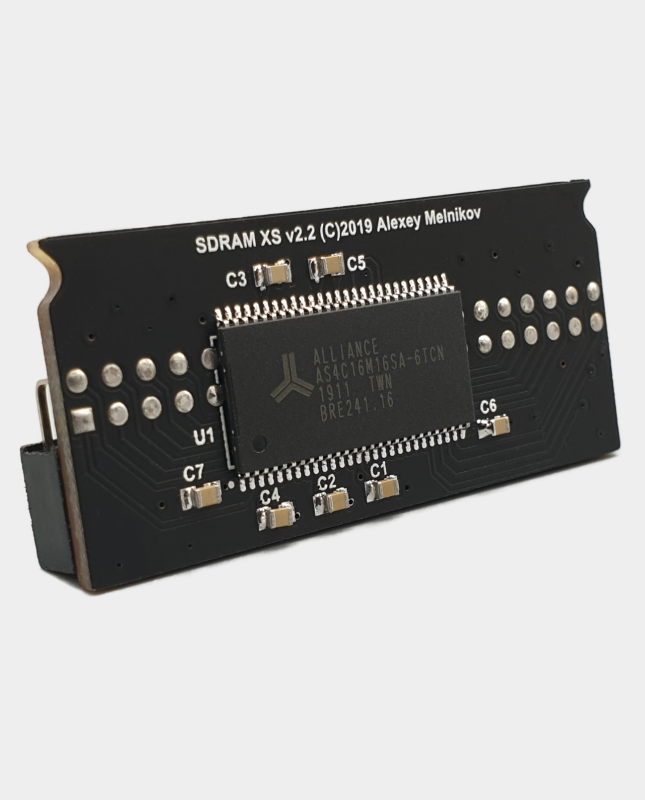
SDRAM is required by many cores. A 32MB module covers the majority of popular systems, while a 128MB module provides more headroom for larger arcade cores and avoids the need to check whether a particular core needs more memory. If you want a simple, future-friendly build, choose 128MB. If you mainly play consoles and smaller arcade cores, 32MB is a good starting point.
See our MiSTer SDRAM XS 32MB module and MiSTer SDRAM XS-DS 128MB module.
3. Power supply
A stable 5V supply is essential. Undervolting or voltage drops can cause random crashes, controller disconnects and storage problems. A quality 5V 4A supply gives the DE10-Nano and a powered USB hub enough headroom, especially when WiFi, Bluetooth, SNAC adapters or external drives are connected.
Our 5V 4A MiSTer power supply is designed for clean, reliable operation. UK customers can also add a UK mains lead.
4. Cooling
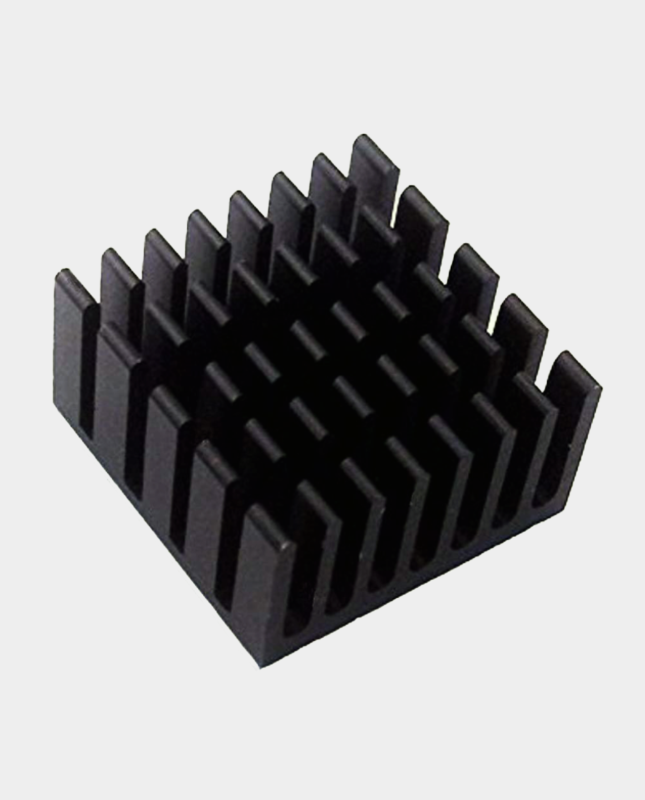
The Cyclone V can become warm during long sessions, and stable temperatures help with timing-sensitive cores. At minimum, fit a heatsink. For a quieter and more capable build, add a fan or choose a combined fan and heatsink kit. Cases and fan plates should provide sensible airflow rather than trapping heat.
Browse our MiSTer cooling range for heatsinks, Noctua fans and fan plate kits.
5. Storage and network
Most users start with a microSD card for the operating system and ROM storage. A USB drive can provide additional space. For updates, scripts and remote file access, a WiFi adapter or Ethernet connection makes setup much easier. The MiSTer WiFi adapter is a simple plug-in option for builds without a wired connection.
Recommended upgrades
IO board
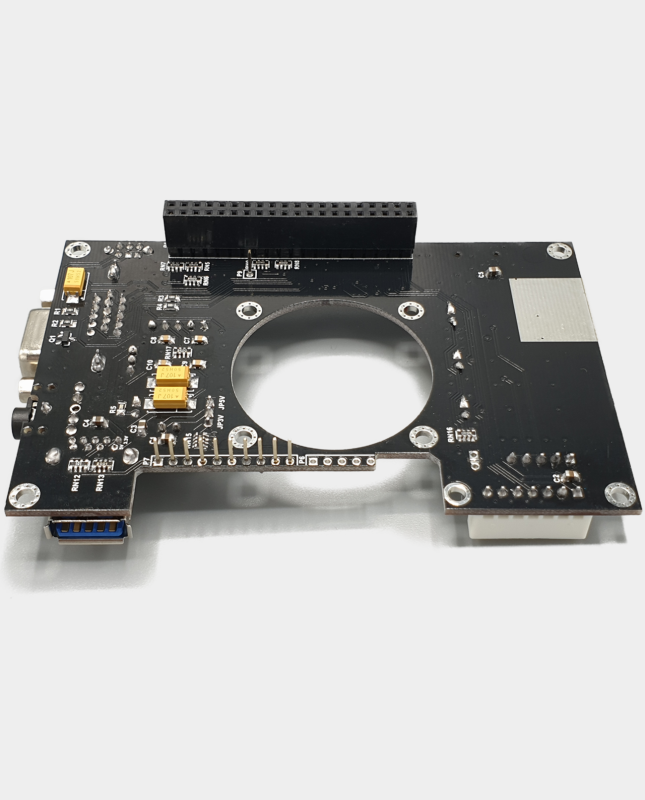
An IO board adds analogue video outputs, buttons, LEDs, a fan header and a more convenient power switch layout. Choose an analogue IO board if you want SCART, VGA or component output. The IO Board A/V Pro is a popular choice for analogue video, while the Digital IO Board suits HDMI-focused builds and adds useful controls.
USB hub
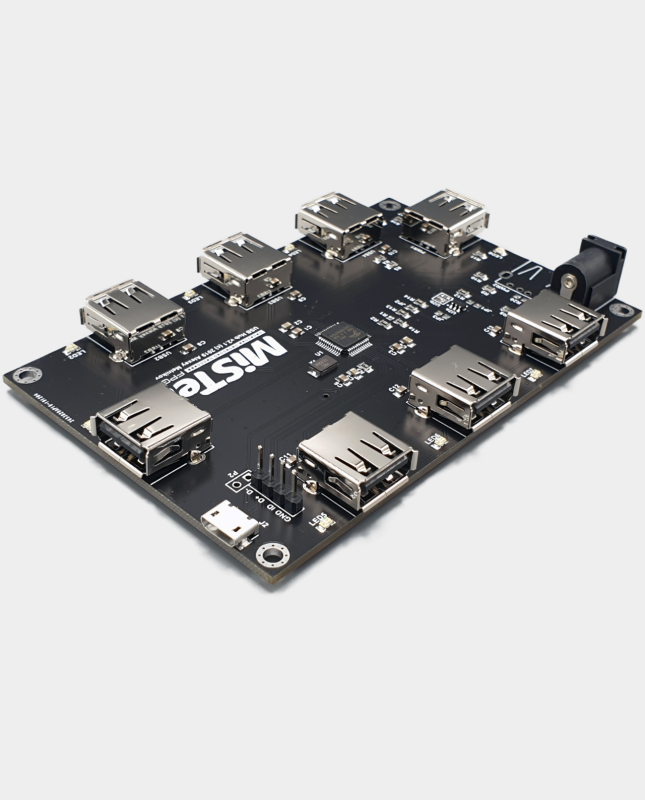
A powered USB hub makes it much easier to connect controllers, keyboards, WiFi, Bluetooth and storage. The USB Hub v2.1 is designed for MiSTer and can be powered from the same supply using a splitter cable. If you use several USB devices, the hub is one of the most useful upgrades you can make.
Controller options
You can use modern USB controllers, Bluetooth controllers or original controllers through SNAC and BlisSTer adapters. USB is the easiest place to start. SNAC is ideal when you want to connect the original controller for a specific core. BlisSTer adds a low-latency controller-focused input option. See our SNAC adapters and cables for supported connections.
Which MiSTer build is right for you?
| Build | Best for | Suggested parts |
|---|---|---|
| Simple HDMI build | Beginners, console cores and modern displays | FPGA board, SDRAM, PSU, heatsink, microSD |
| Recommended desktop build | Most users who want USB accessories and analogue options | Above plus USB hub, IO board and case |
| Arcade-focused build | Large arcade cores and original controls | 128MB SDRAM, cooling, USB hub, SNAC or BlisSTer |
Buying advice for UK customers
MiSTer parts are often sourced from several countries, so check the power connector, plug type and compatibility before ordering. Our store ships from Manchester and stocks the core boards, adapters, cooling parts and accessories needed for a complete UK build. If you are unsure which IO board, SDRAM size or controller adapter matches your setup, contact us before ordering and we will point you in the right direction.
Frequently asked questions
Do I need a 128MB SDRAM module?
Not always. A 32MB module runs most popular cores. Choose 128MB if you want maximum compatibility with larger arcade cores or prefer to avoid checking requirements.
Can I use MiSTer with a modern TV?
Yes. HDMI output works well with modern TVs and monitors. An analogue IO board is only needed if you want to use a CRT, SCART, VGA or component display.
Is a USB hub necessary?
It is not strictly required for a basic setup, but it is strongly recommended if you use multiple controllers, WiFi, Bluetooth, keyboards or USB storage.
Do I need a fan?
A heatsink is the minimum sensible cooling upgrade. A fan or combined fan and heatsink kit is recommended for enclosed cases, warm rooms and long gaming sessions.
Ready to build? Browse our MiSTer expansion boards, accessories and cooling components, all shipped from Manchester.
Related reading
Still deciding on part of your build? These guides cover the other choices MiSTer owners face most often.
- MiSTer Pi vs DE10-Nano: which board should you buy? — which MiSTer board makes sense for your budget.
- SNAC vs BlisSTer vs USB controllers on MiSTer — how to choose controllers and adapters.
- MiSTer SDRAM explained: 32MB vs 128MB — how much SDRAM you actually need.
- MiSTer cooling and power guide — heatsinks, fans and 5V power explained.
- MiSTer FPGA starter kit UK: what to buy first — the complete first-build shopping list.
- How to set up MiSTer FPGA from a blank SD card — from SD card to first game.
- MiSTer vs RetroPie vs original hardware — where each option actually wins.
