Guides
MiSTer Pi vs DE10-Nano: Which MiSTer FPGA Board Should You Choose?
Sep
MiSTer Pi or DE10-Nano? The DE10-Nano is the reference board for the MiSTer FPGA project, while the MiSTer Pi is a more affordable Cyclone V alternative. Both can run the same MiSTer ecosystem, but they differ in price, layout, power input, cooling and accessory compatibility. This guide explains the practical differences so you can choose with confidence.
Quick answer
- Choose the DE10-Nano if you want the reference platform, maximum documentation and the widest choice of standard MiSTer add-ons.
- Choose the MiSTer Pi if you want a lower-cost, compact build and are happy to check which adapters and cases are compatible.
- Choose a QMTECH board if price and availability matter more than matching the standard DE10-Nano layout.
DE10-Nano: the reference platform
The Terasic DE10-Nano is the board most MiSTer documentation, IO boards, cases and accessories were designed around. It uses a familiar DC barrel power input, has established mounting points and works with the widest range of add-on boards.
If you want a build that follows the standard recipe, the DE10-Nano is the safest choice. It is also the board most community tutorials assume you are using, which makes troubleshooting easier.
MiSTer Pi: lower cost and compact
The MiSTer Pi is a compatible Cyclone V board aimed at making MiSTer more affordable. It runs the same cores and offers similar performance, but its physical layout is different. That affects cooling, cases and how power is connected.
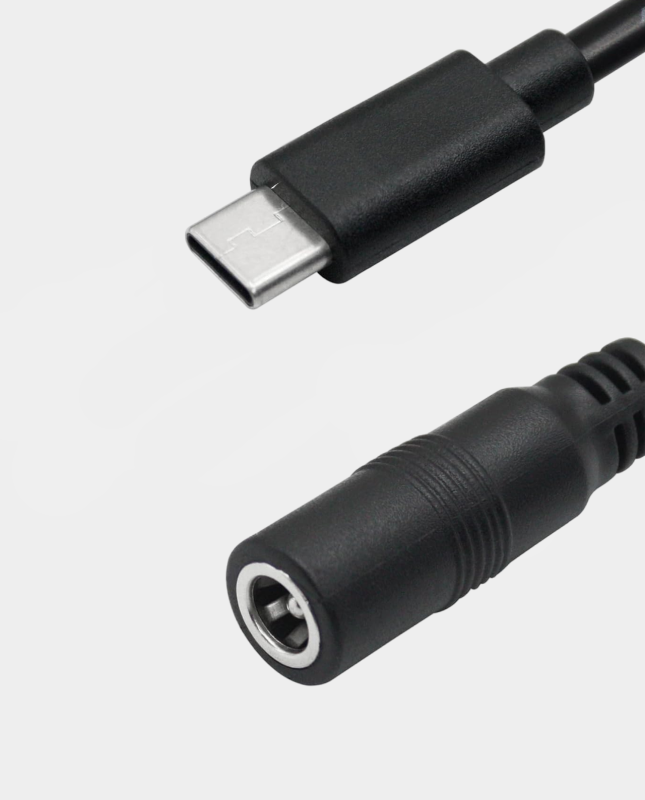
A key difference is power input. The MiSTer Pi uses USB-C power. If you want to use a standard 5V DC power supply, you will normally need a DC female to USB Type C adapter. You should also choose a case designed for the MiSTer Pi rather than assuming a DE10-Nano case will fit.
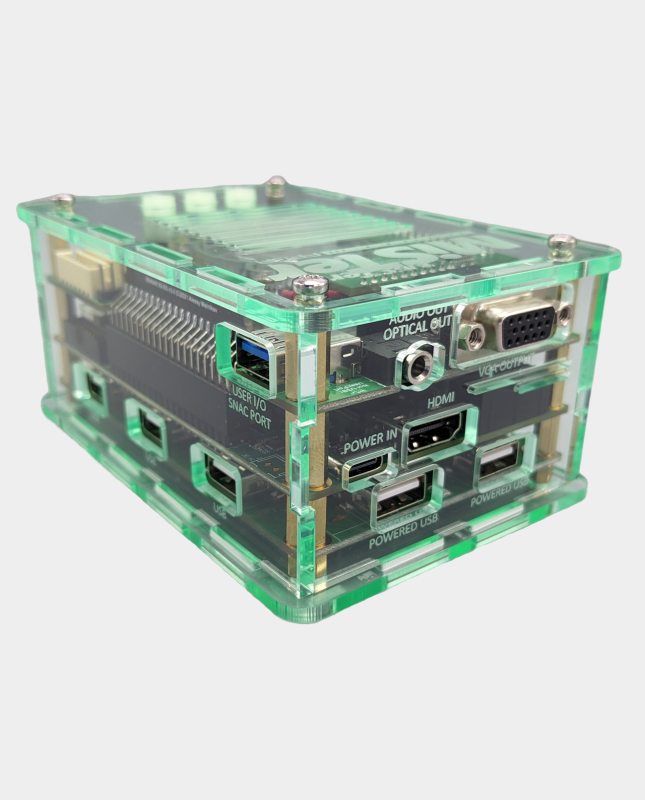
Our MiSTer Pi acrylic case is designed for compact builds and helps protect the board while keeping it accessible.
Compatibility comparison
| Feature | DE10-Nano | MiSTer Pi |
|---|---|---|
| Role | Reference platform | Budget-friendly alternative |
| Core compatibility | Excellent | Excellent for most cores |
| Standard IO boards | Widest support | Check board-specific compatibility |
| Power input | DC barrel | USB-C |
| Case options | Very wide | MiSTer Pi specific |
| Best for | Reference build and maximum accessory support | Compact, lower-cost build |
Power and cooling
Both boards benefit from a stable 5V supply. For a DE10-Nano build with a USB hub, a 5V 4A supply such as our MiSTer power supply gives useful headroom. MiSTer Pi owners should use a suitable USB-C supply or the DC-to-USB-C adapter with a quality 5V DC supply.
Cooling matters on both platforms. Fit a heatsink at minimum, and add a fan for enclosed cases or long sessions. Our cooling range includes passive heatsinks, Noctua fans and complete fan plate kits.
Add-ons and expansion
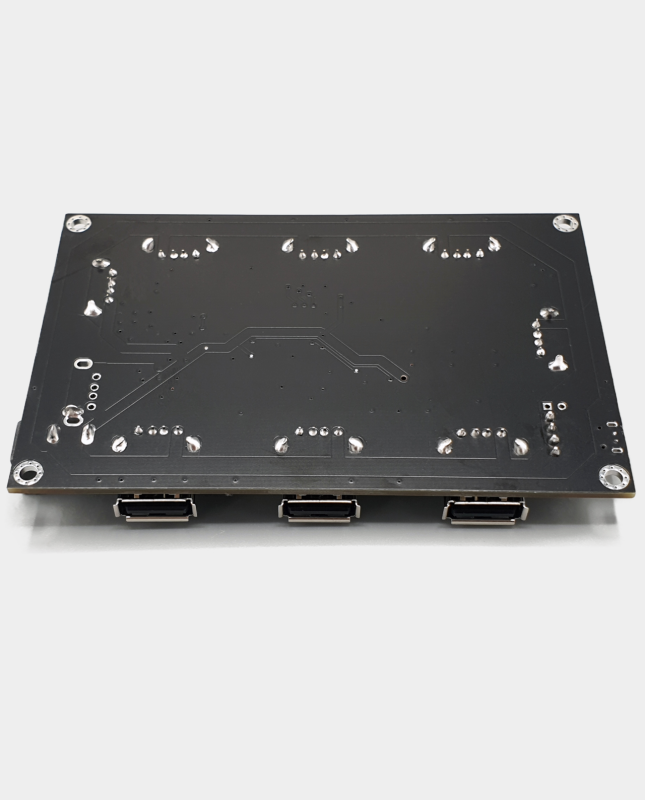
SDRAM, USB hubs, SNAC adapters and controller options are available for both boards, but mounting and connector arrangements can differ. Before ordering, check whether an add-on is described as DE10-Nano specific or compatible with MiSTer Pi. When a product supports both, we state that clearly.
Start with a 128MB SDRAM module if you play arcade cores. Add a USB hub if you use multiple controllers or network adapters.
Which should you buy?
If this is your first MiSTer and you want the least risk, choose the DE10-Nano. It is the reference design, and the majority of cases, IO boards and guides are built around it.
If you want to save money and prefer a compact build, the MiSTer Pi is a strong option. Just budget for the correct power adapter, cooling and case, and check accessory compatibility before ordering.
Frequently asked questions
Does MiSTer Pi run the same cores as DE10-Nano?
Yes, it runs the same MiSTer ecosystem and the vast majority of cores. Differences are mainly physical and accessory-related rather than software-related.
Can I use a DE10-Nano case with MiSTer Pi?
Usually not without modification. Choose a case made for the MiSTer Pi to ensure the ports, board and cooling fit correctly.
Can I use a standard MiSTer power supply with MiSTer Pi?
You can use a suitable 5V DC supply with a DC to USB-C adapter. Always check the voltage and current rating before connecting.
Build your setup: browse our expansion boards, cases, accessories and cooling.
Related reading
Still deciding on part of your build? These guides cover the other choices MiSTer owners face most often.
- MiSTer FPGA beginner’s guide: what you need to get started — the full list of parts a first build actually needs.
- SNAC vs BlisSTer vs USB controllers on MiSTer — how to choose controllers and adapters.
- MiSTer SDRAM explained: 32MB vs 128MB — how much SDRAM you actually need.
- MiSTer cooling and power guide — heatsinks, fans and 5V power explained.
- DE10-Nano vs MiSTer Pi vs QMTECH — the three realistic routes into MiSTer.
- The cheapest way to build a MiSTer in the UK — spend carefully in the right order.
